
Help / API keys & the MCP server
API keys & the MCP server
Let Claude or any MCP client create, inspect, patch, publish, and restore your websites safely.
Workroom's MCP server gives an AI assistant a focused website workflow: create a site, read its authored files, patch only what changed, publish a new immutable version, and restore an earlier version. An API key is how an agent like Claude signs in to your workspace.
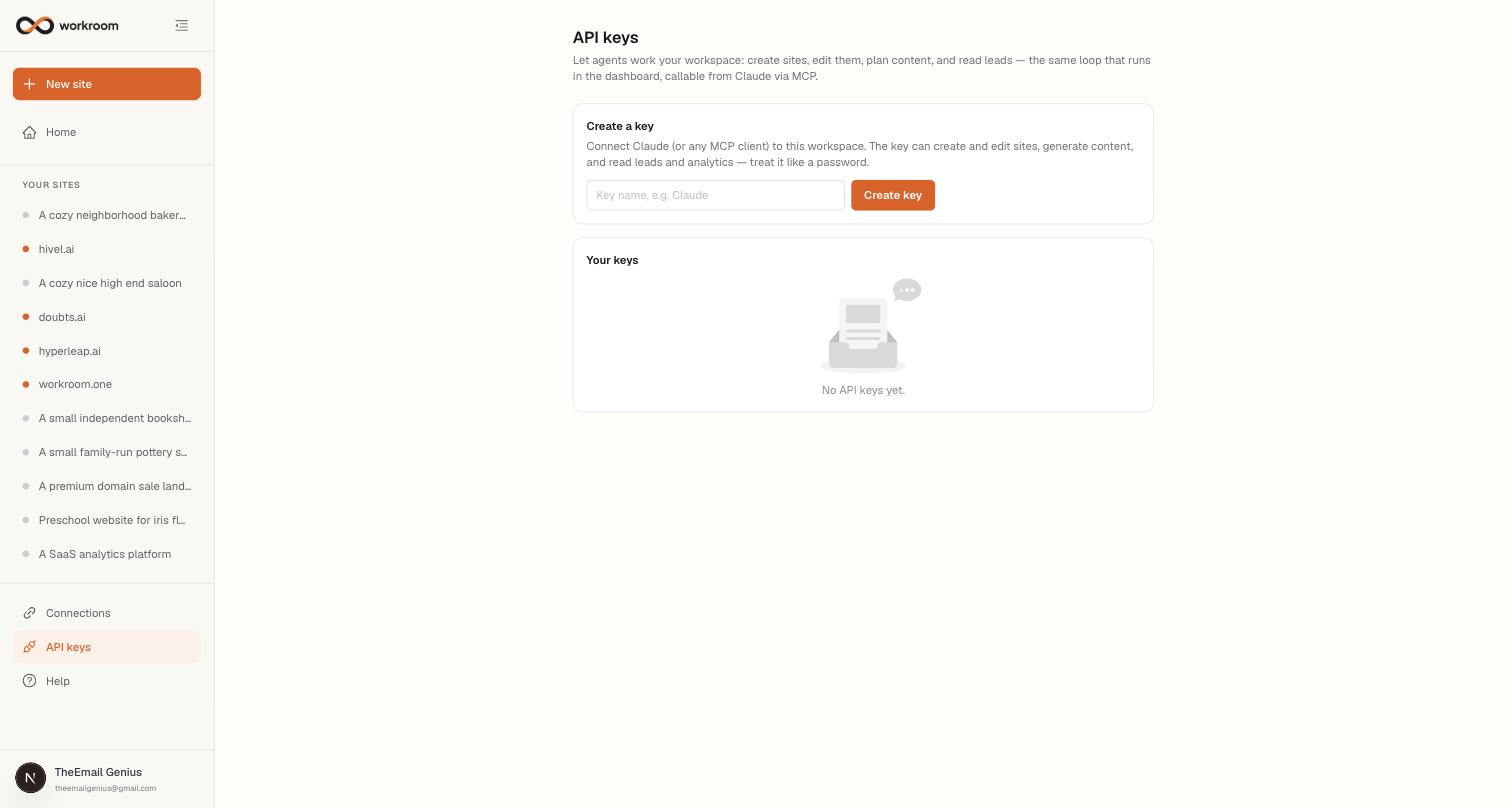
Connecting Claude
- Open API keys in the sidebar, give the key a name (e.g. “Claude”), and click Create key.
- Copy the key immediately — this is the only time it's shown.
- Add workroom to Claude Code with the command below (paste your key in place of <key>).
- That's it — ask Claude to list your sites, inspect the current authored files, or update a specific page.
Connect from Claude Code
claude mcp add --transport http workroom https://workroom.one/api/mcp --header "Authorization: Bearer <key>"What agents can and can't do
Agents can observe sites, analytics, leads, the business profile, authored files, and version history; act by creating a site or safely patching selected pages and components; and verify or undo with version tools. Site edits publish as immutable versions, and base-version checks reject stale writes instead of overwriting unseen changes. Routine and social-content tools are hidden until those features launch.