
Help / Workspace connections
Workspace connections
Connect Google, Bing, Facebook & Instagram, and GitHub once — then each site picks what it uses.
Connections is where your workspace links its outside accounts, and you only do it once. Connect the account on the Connections page (in the sidebar, next to API keys), and every site in your workspace can use it — each site just picks the specific piece it needs: a Search Console property, an Analytics property, a sending mailbox, a Facebook Page, a repository.
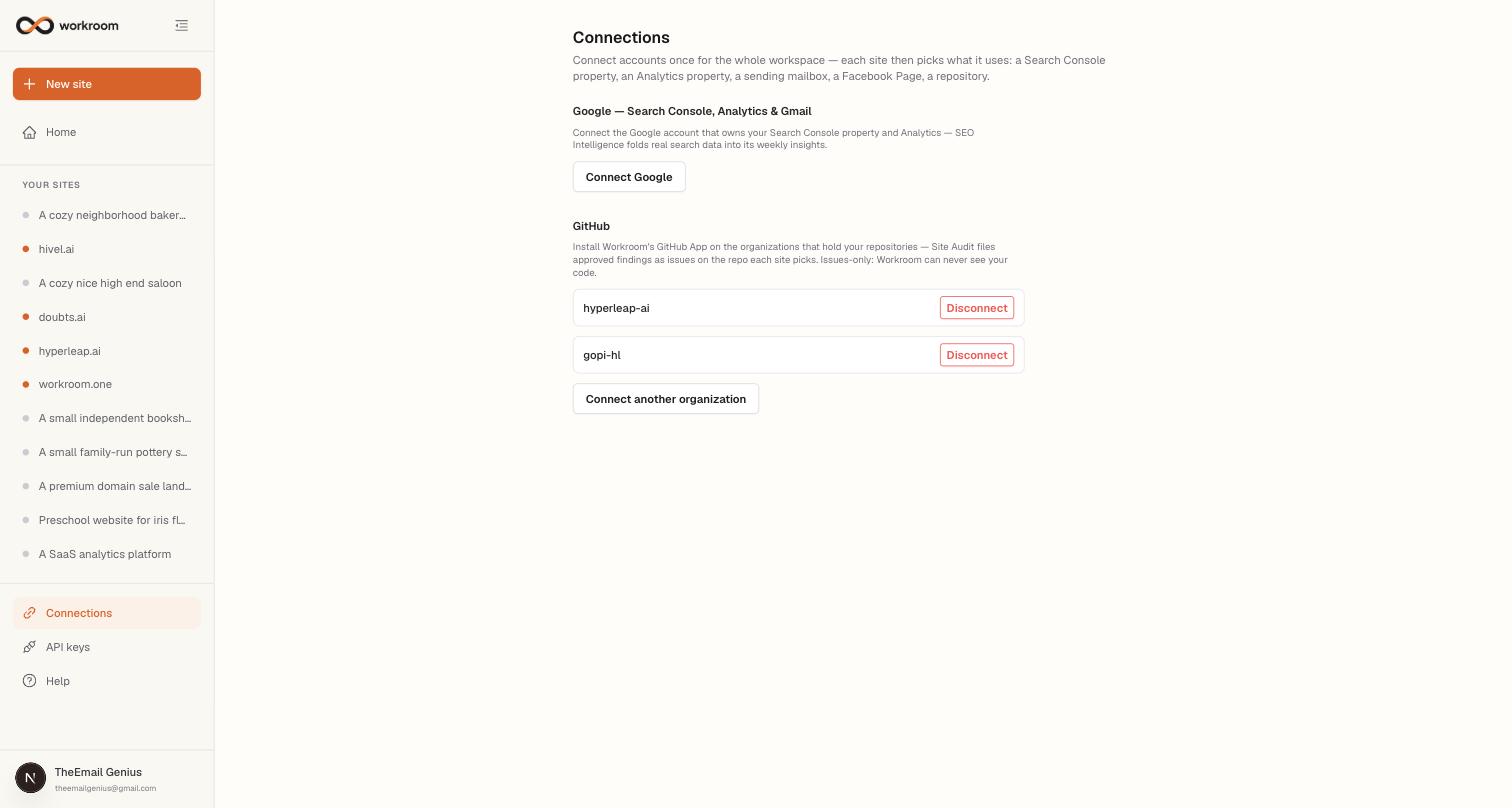
What you can connect
- Google — connecting covers Search Console and Analytics (search data for SEO Intelligence, the daily search report, and audits). Gmail sending (approved outreach emails go out from your own mailbox) and Google Ads are separate permissions you add per account with Allow Gmail sending and Add Google Ads. Connect more than one Google account if your properties live in different places. If Google ever revokes access, the account shows Reconnect and routines that need it pause until you do.
- Bing Webmaster Tools — paste the API key from Bing Webmaster Tools → Settings → API access. Bing's index also feeds DuckDuckGo, Yahoo, and ChatGPT/Copilot citations.
- Facebook & Instagram — connect the Facebook account that manages your Pages and every Page it manages (with its linked Instagram) becomes available for the Social studio to publish to.
- GitHub — install Workroom's GitHub App on the organizations that hold your repositories. It can only read and create issues, never see your code; Site Audit files approved findings as issues.
How a site picks what it uses
- Search Console & Analytics property — in the site's Settings, pickers appear once Google is connected. Leave them empty and Workroom matches by domain (Search Console) or uses your only property (Analytics).
- Search engines — in the site's Settings, Set up Search Console lets Workroom add your site to your own Search Console account, verify it, and submit its sitemap; with Bing connected, the same happens in your own Bing account. Everything is registered under your accounts, never Workroom's.
- Facebook & Instagram — in the site's Social studio, the Publishing to card lists every destination your connected Pages offer: the Facebook Page itself and the Instagram account linked to it. Pick one or both — approved posts go to everything you pick.
- Repository — in Site Audit → Issue drafts (or site Settings for connected external sites), pick the repository issues are filed to.
- Sending mailbox — in Prospect Finder → Outreach, pick which connected mailbox this site's approved emails send from, or leave it rotating across all of them.
- Postal address and unsubscribes — every approved Prospect Finder email ends with your business postal address (add it in the Prospect Finder checklist) and a one-click unsubscribe link. Anyone who unsubscribes, replies asking you to stop, or bounces lands on your workspace's do-not-contact list and is never drafted or emailed again.