
Help / Create your first site
Create your first site
Describe your business in a sentence or two and get a complete, live-ready website.
Workroom turns a plain-English description of your business into a complete first-draft website — no templates to fill in, no blank canvas. You describe what you do and who it's for; workroom researches, designs, and writes the site, then opens it in your workroom so you can shape it before anyone sees it.
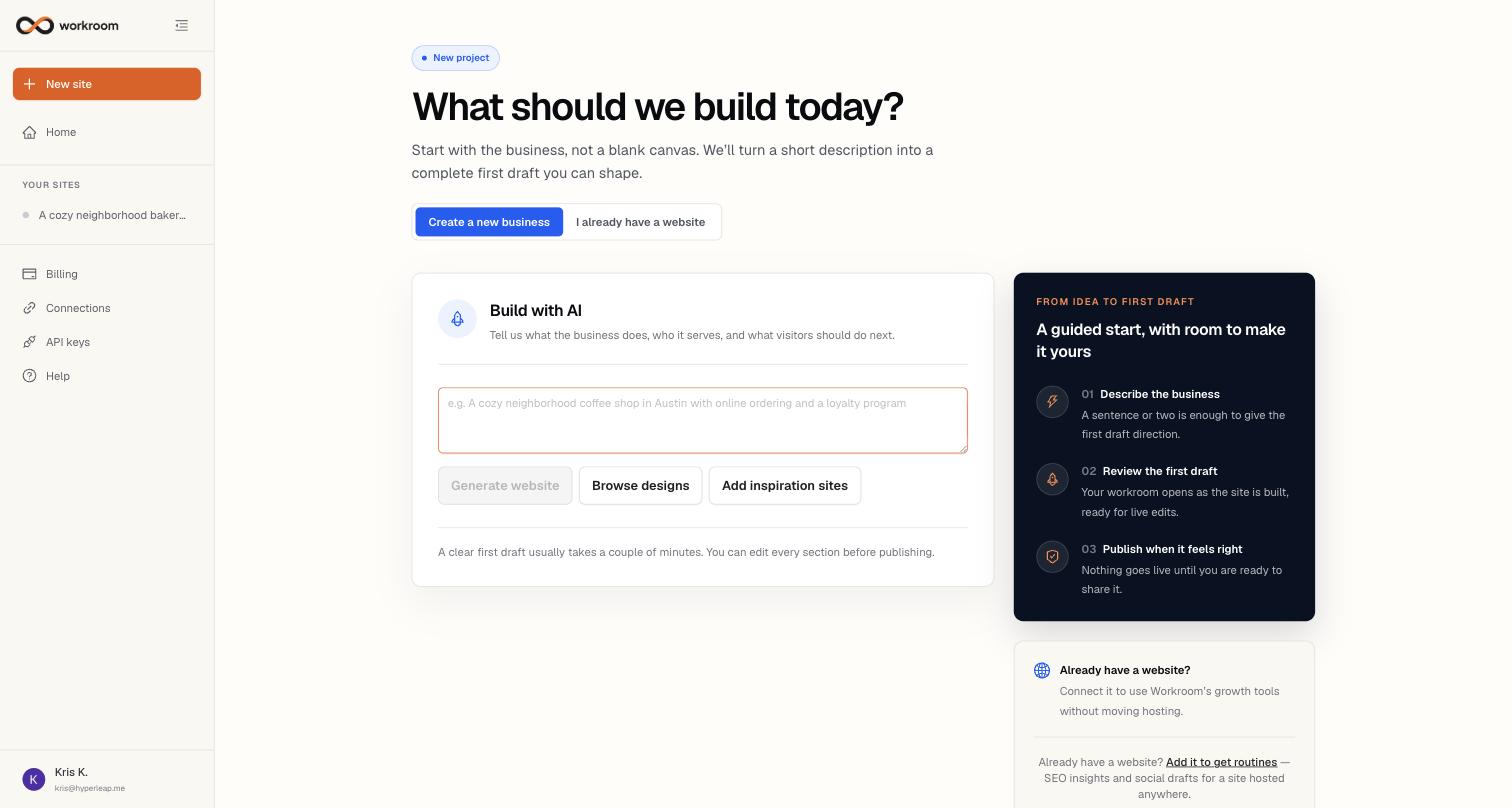
Build a site with AI
- Click New site at the top of the sidebar (or Add site on Home).
- Describe the business in the text box — what it does, who it serves, and what visitors should do next. One or two sentences is enough, e.g. “A cozy neighborhood coffee shop in Austin with online ordering and a loyalty program.”
- Optional: click Browse designs to pick a design direction from the gallery, or Add inspiration sites to paste up to three websites whose look you like. Workroom draws on their colours, type, and layout — not their content.
- Click Generate website. You'll land in the Build view, where you can watch the site being researched, designed, and written — a clear first draft usually takes a couple of minutes. Allow browser notifications if you want a ping when it finishes; we also email you.
- Review the draft, ask for changes in chat, and publish when it feels right.
What happens after you generate
Your site goes live on its own workroom address (something like your-business.onworkroom.one) and every page automatically captures visits and enquiries — leads land in your AI CRM and are emailed to you. When you're ready to look established, connect your own domain under Domains: SSL is automatic.