
Help / AI CRM — leads & relationships
AI CRM — leads & relationships
Every enquiry becomes a relationship, ranked by who needs attention — with a reply already drafted.
When someone fills in your contact form or messages your site's chatbot, workroom doesn't just add a row to a table. It reads the enquiry in context — what they looked at, whether they've been back, what they asked — and ranks everyone by who needs your attention today, with a ready-to-send reply drafted for you.
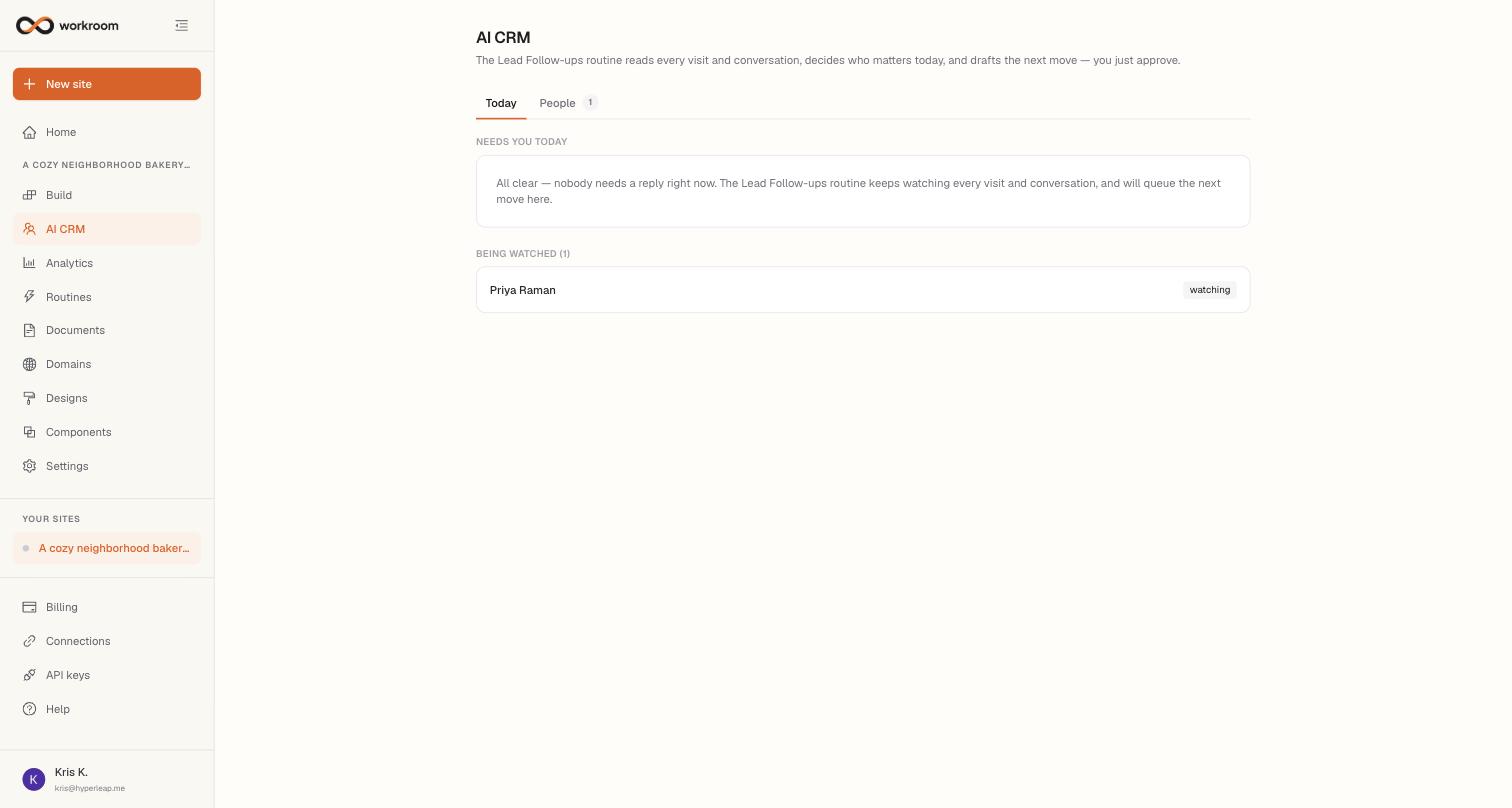
Today — your agenda
- Needs you today lists everyone the AI decided can't wait — a drafted reply awaiting your say-so, or a hot read like “act now”. The tag shows urgency: act now, this week, or keep warm; brand-new enquiries show watching until the next review.
- The summary and → line explain who they are, why they scored that way, and the one thing worth doing for this person.
- The draft reply is written from your business profile and site content. Use Open in email to send it from your own email app, or Copy reply to paste it anywhere. Mark handled closes it out; Dismiss skips it. Nothing is ever sent without you.
- If your site runs a waitlist, Waiting on your decision appears at the top with one-tap Approve / Reject.
People — everyone the AI is tracking
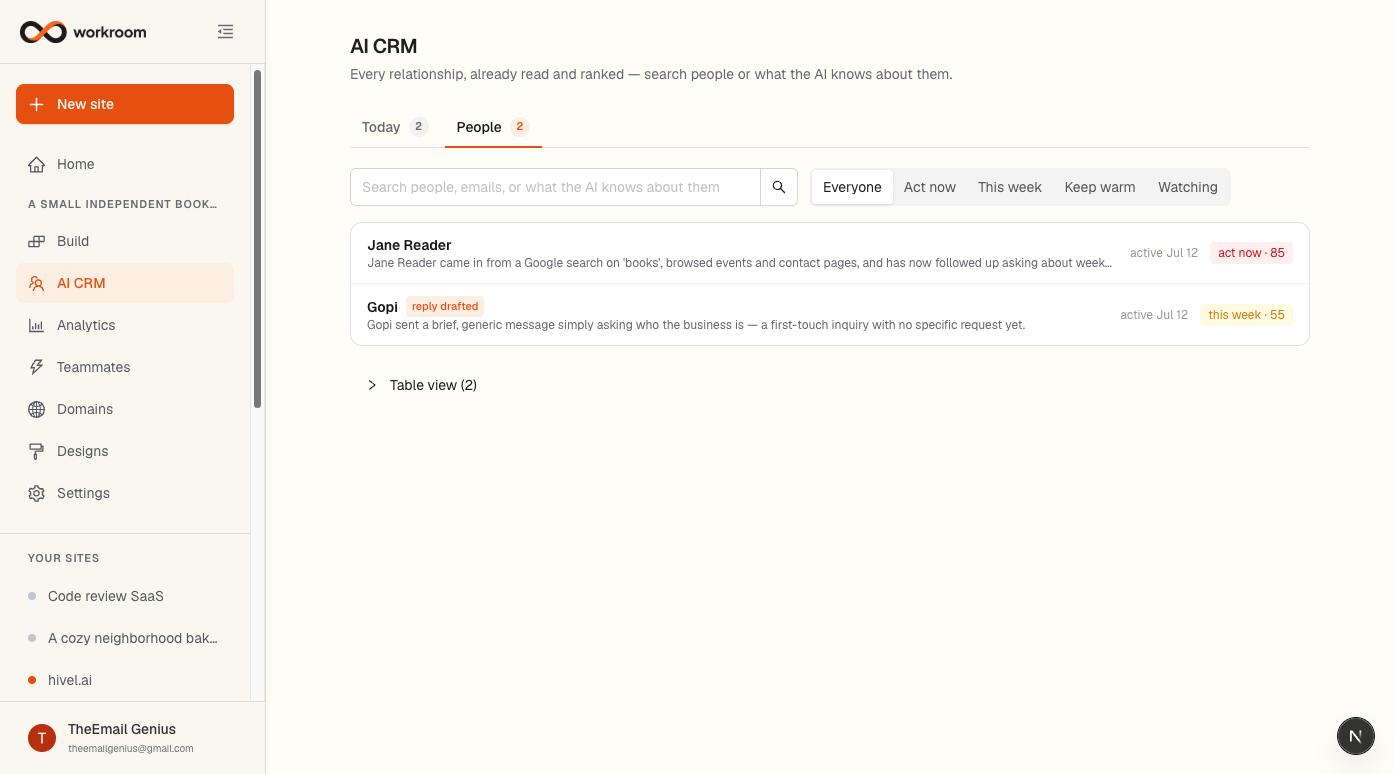
The People tab is your whole book of relationships, each row carrying the AI's one-line read and attention tag. Search by name or email — or by what the AI knows (“asked about weekends”) — and filter by urgency. Table view at the bottom is the plain list with name, email, phone, source, and date.
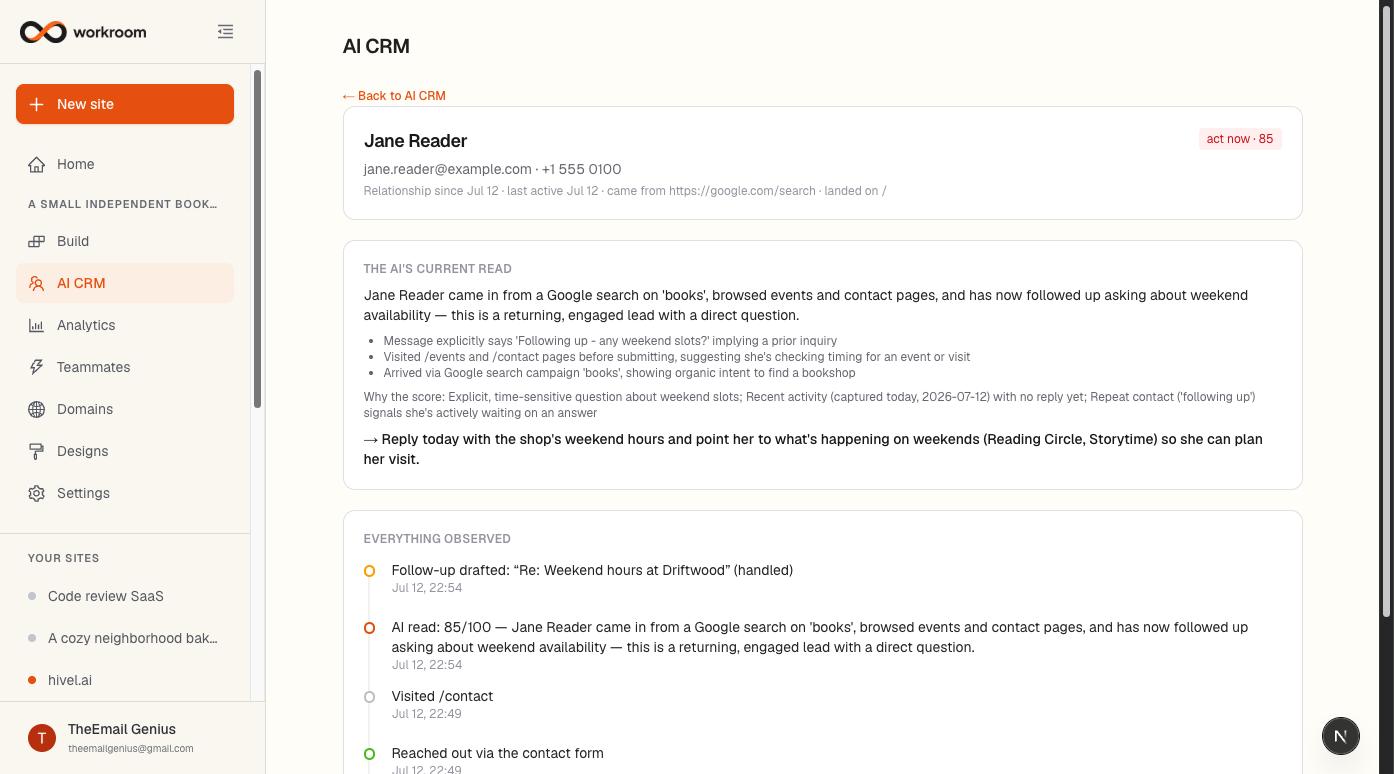
Click any person to open their page: contact details, where they first came from, the AI's current read, any reply waiting on you, and Everything observed — every visit, enquiry, assessment, and draft in one timeline. You never typed any of it in.