
Help / Designs & restyling
Designs & restyling
Restyle your whole site from a gallery of design directions — your words and pages stay put.
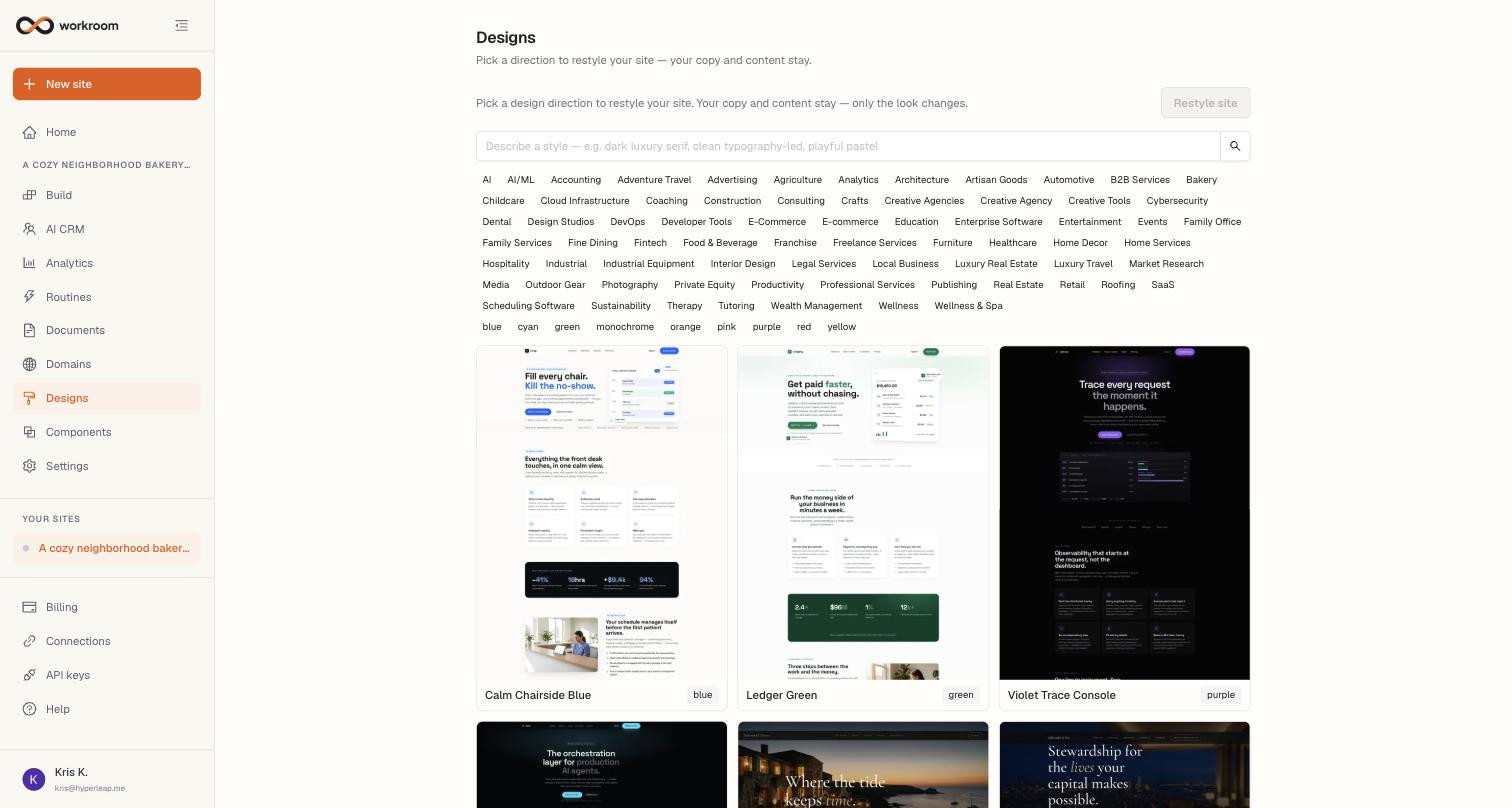
The Designs tab changes how your site looks without touching what it says. Pick a direction from the gallery — or describe one — and workroom restyles every page: colours, typography, layout feel. Your copy, pages, images, and contact form all stay exactly as they are.
Restyling your site
- Open Designs and browse the gallery, or type a style into the search box — e.g. “dark luxury serif” or “clean typography-led, playful pastel.”
- Narrow the grid with the industry and accent-colour filters.
- Select a direction and click Restyle site.
- The restyle runs through Build chat — watch it there, and the preview refreshes when it's done. If you don't love it, roll back from the chat or Version history.