
Help / Your workspace Home
Your workspace Home
One view of everything that needs your attention across all your sites.
Home is where you land when you open workroom. Instead of a wall of dashboards, it surfaces the next useful move: who to reply to, what's working, and what needs setting up — across every site in your workspace.
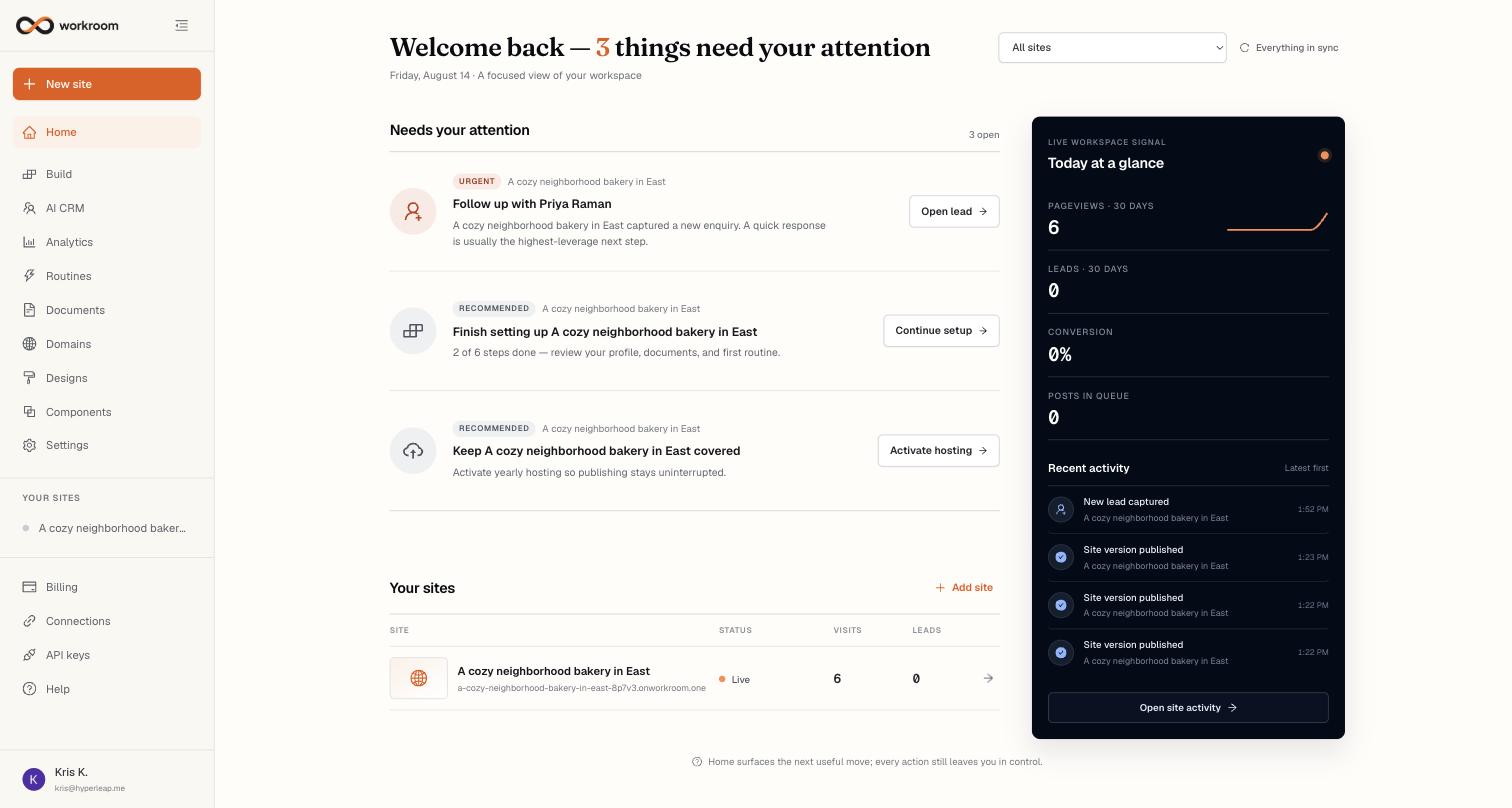
What's on the page
- Needs your attention — the highest-value next action for each site: a lead waiting on a reply, tracking that isn't installed yet, or a website setup step to finish. Each card has a button that takes you straight to the right place.
- Today at a glance — pageviews, leads, and conversion over the last 30 days, plus recent site and enquiry activity.
- Your sites — every site with its status, address, visits, and leads. Click a row to open it; Add site starts a new one.
- Site filter — the dropdown at the top rescopes the whole page to a single site when you want to focus.